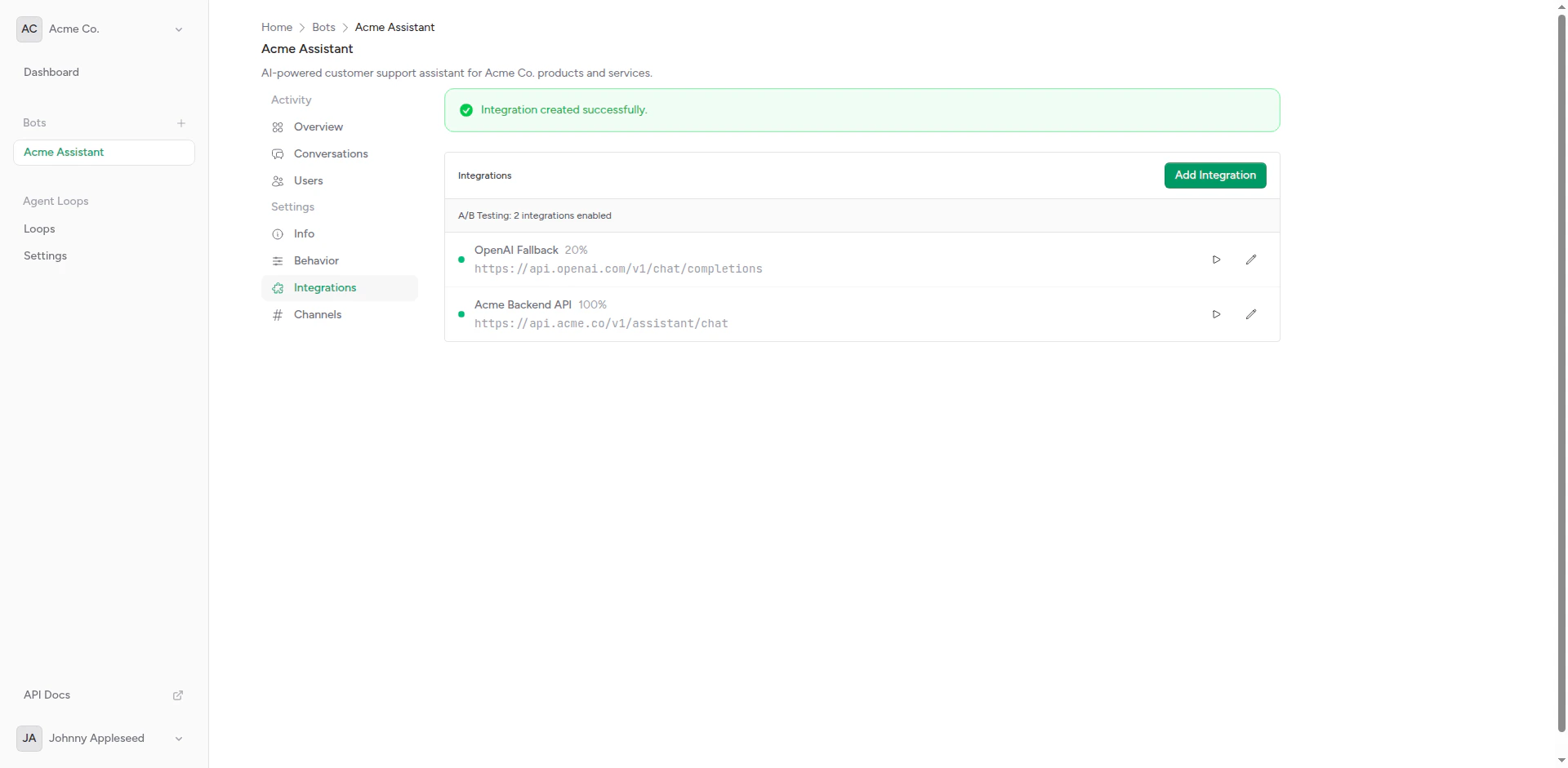
A/B testing with multiple active integrations
How It Works
When your bot receives a message:- Check Active Integrations: Bot finds all integrations with weight > 0
- Calculate Distribution: Total weight determines probability for each
- Select Integration: Randomly select based on weights
- Send Request: Forward message to selected integration
- Track Performance: Log which integration was used
Setting Up A/B Testing
1
Create Multiple Integrations
Create 2 or more integrations for your bot. For example:
- Integration A: “GPT-4” (OpenAI)
- Integration B: “Claude 3.5 Sonnet” (Anthropic)
2
Assign Weights
Set weights for each integration:
- GPT-4: Weight 50
- Claude: Weight 50
3
Enable Integrations
Ensure both integrations are active (not disabled).
4
Send Messages
Messages will automatically distribute according to weights.
Weight Distribution
Weights determine the probability of each integration being selected:Equal Distribution
Unequal Distribution
Gradual Rollout
Start with a small percentage and increase over time: Week 1:Use Cases
Model Comparison
Compare different AI models on the same traffic:Feature Testing
Test new features or prompts:Fallback Strategy
Use weights with fallback integrations:Best Practices
Start Small
Begin with 5-10% traffic to new integrations
Define Success
Know what you’re measuring before starting
Run Long Enough
Collect enough data for statistical significance
One Variable at a Time
Test one change at a time for clear results
Statistical Significance
Don’t draw conclusions too early:
Wait until each integration has served enough requests to see patterns.
Avoid Common Pitfalls
Don’t:- Change weights daily (let tests run)
- Test too many variables at once
- Ignore statistical significance
- Compare apples to oranges (different use cases)
- Test one change at a time
- Keep detailed notes
- Use consistent metrics
- Document learnings
Configuration Examples
Canary Deployment
Gradually roll out a new model:Multi-Variant Testing
Test three options:Champion vs. Challenger
Keep a proven option dominant:Advanced Techniques
User-Based Testing
Use custom headers to route specific users:Geographic Testing
Route by user location (if available):Ending an A/B Test
When your test concludes:1
Analyze Results
Review all collected metrics and determine the winner.
2
Choose Winner
Decide which integration to use going forward.
3
Update Weights
Set winner to Weight 100, others to Weight 0 (or delete them).
4
Document Findings
Record what you learned for future reference.
Keep losing integrations configured but disabled (Weight 0) so you can easily re-test if needed.
Troubleshooting
Uneven Distribution
If traffic doesn’t match weights:- Low Traffic: Need more requests for distribution to even out
- Caching: Check if responses are cached
- Time of Day: Traffic patterns may affect distribution
One Integration Always Fails
If one integration has high error rate:- Check timeout settings
- Verify API credentials
- Test integration manually
- Review error logs
Next Steps
Webhook Setup
Configure integration endpoints
Custom Headers
Add routing logic with headers