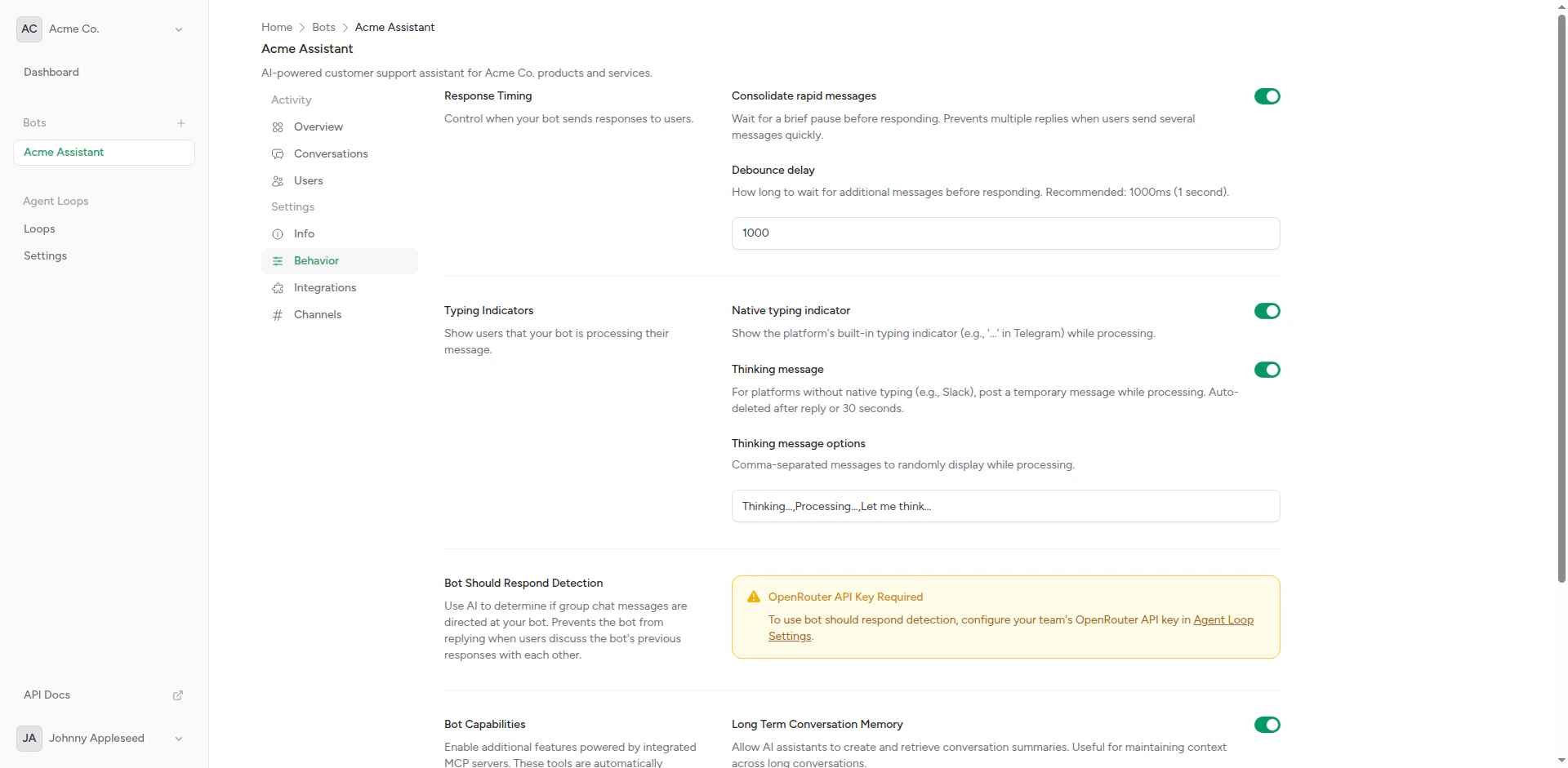
Bot behavior settings
Available Behaviors
Response Timing
Control response delays for natural conversation flow
Typing Indicators
Show visual feedback while generating responses
Should Respond
Detect when your bot should reply to messages
Why Behaviors Matter
Behaviors significantly impact user experience:User Expectations
Users expect chatbots to behave like human conversation partners:- Natural Timing: Responses that don’t feel instant or robotic
- Visual Feedback: Typing indicators show the bot is “thinking”
- Smart Responses: Bot knows when to respond and when to stay silent
Platform Differences
Different platforms have different capabilities:- Native Support: Some platforms (Telegram, Slack) have built-in typing indicators
- Group Behavior: Bots need to know when they’re being addressed in group chats
- Threading: Slack threads vs. Telegram groups require different response strategies
Configuration
Behaviors are configured per bot in the bot settings page:1
Navigate to Bot Settings
From your bot overview, click on the Behaviors tab.
2
Configure Each Behavior
- Response Timing: Set delays for natural conversation feel
- Typing Indicators: Enable visual feedback during processing
- Should Respond: Configure when bot should reply in groups
3
Save Changes
Click Save to apply the new behavior configuration. Changes take effect immediately.
Behavior Interactions
Behaviors work together to create natural conversations:Complete Flow
- User sends a message
- Should Respond checks if bot should reply (mentions, DMs, etc.)
- If yes, Typing Indicator shows immediately
- AI generates response
- Response Timing adds natural delay if response was too fast
- Bot sends reply
Example: Group Chat
Platform-Specific Behavior
Telegram
- Native typing indicators via
sendChatAction - Group-aware should respond (mentions and replies)
- Per-user conversation contexts in groups
Slack
- Native typing indicators
- Thread-aware detection
- App mentions trigger responses
Discord (Coming Soon)
- Native typing indicators
- @mention and reply detection
- Slash command support
Best Practices
Start with defaults: The platform’s default behavior settings work well for most use cases. Only customize if you have specific requirements.
Enable Typing Indicators
Visual feedback improves perceived responsiveness
Use Should Respond in Groups
Prevent bot from interrupting conversations
Test Natural Feel
Verify conversations feel natural, not robotic
Review Conversations
Check conversation logs for behavior issues
Next Steps
Response Timing
Configure response delays
Typing Indicators
Set up visual feedback
Should Respond
Control when bot replies